

Introducing the Game Changer: AI-Powered Presentations in Minutes
We all know the pain: staring at a blank slide, trying to distill complex information into a visually engaging presentation. But what if that tedious task could be done in the time it takes to grab a coffee?
The newest, most exciting addition to Gemini Canvas is the ability to generate complete, polished presentation slides from a simple prompt or an existing document. This isn’t just a basic outline, it’s a fully structured, visually cohesive slide deck.

How It Works: Prompt-to-Presentation Magic
- Start in Canvas: Open the Gemini app, select Canvas in the toolbar.
- Give a Prompt or a Source: You can either:
- Describe Your Topic: “Create a presentation on the key trends in renewable energy for a non-technical executive audience.”
- Upload a Document: Upload your long research report, notes, or brief, and ask Gemini to “Create a summary presentation from this file.”
- Refine and Export: Gemini will instantly generate a full set of slides with structured content, relevant images, and a cohesive theme. You can then export the deck directly to Google Slides for final edits, branding, and team collaboration.
This feature is a major time-saver, allowing you to focus on the story and the delivery, not the design and layout. It turns hours of work into mere minutes of refinement.

Beyond the Slides: The Infinite Canvas of Creation
While the presentation feature is a powerful new tool, Gemini Canvas is an all-in-one interactive workspace built to bring almost any idea to life. It moves beyond simple text generation to help you create, prototype, and visualize complex projects.
1. Code, Apps, and Web Prototypes
For developers, hobbyists, or students learning to code, Canvas is a real-time partner.
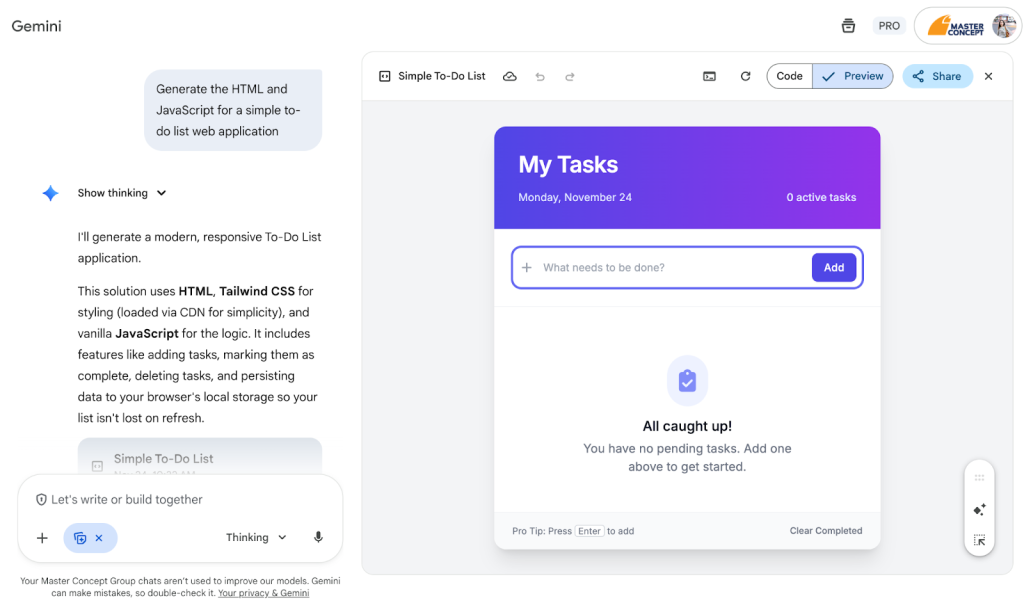
- Generate Working Code: Simply describe the app or functionality you want, and Gemini will generate the code. For example, “Generate the HTML and JavaScript for a simple to-do list web application.”
- Vibe Coding: You can see a live preview of your HTML/React code right inside Canvas, allowing for quick, iterative changes and testing without switching applications.
- Prompt-to-Dashboard: Upload Excel data or paste a table, then say: “Generate an interactive dashboard for this sales data, including a trend line and regional distribution pie chart.”

2. Interactive Learning and Assessment
Canvas is also a powerful tool for learning and teaching, transforming static content into engaging educational experiences.
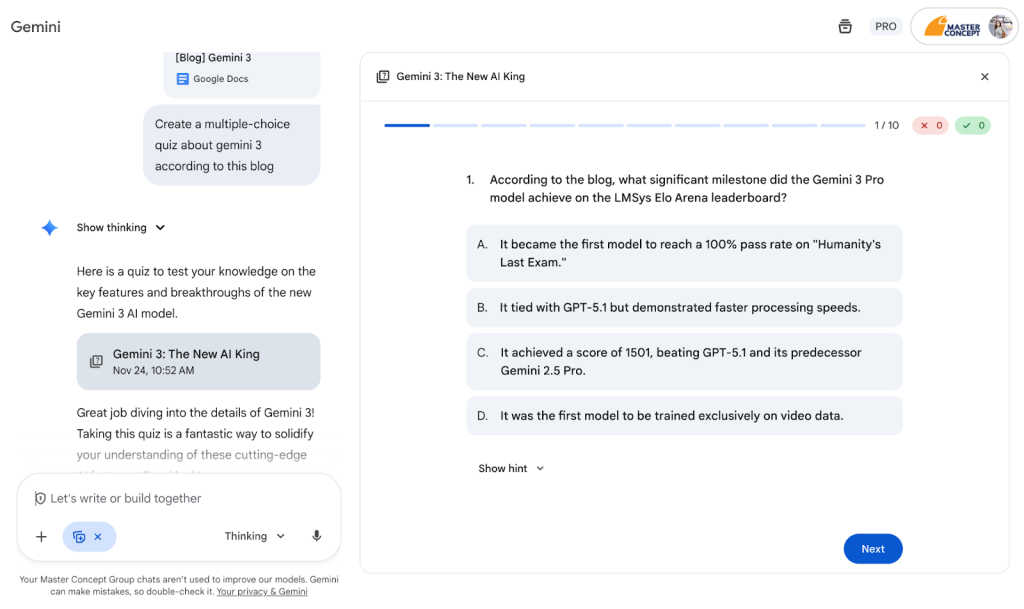
- Generate Custom Quizzes: Upload your study materials or a long research paper and ask Gemini to “Create a multiple-choice quiz” on the content. This instantly generates an interactive quiz to test your knowledge or share with a study group.
- Infographics and Visuals: Need to visualize complex data or processes? Canvas can generate visual infographics based on your research or prompts, making information more digestible.
Ready to Start Creating?
Gemini Canvas is more than just a generative AI tool; it’s a co-pilot for your creative and professional projects. Whether you’re a student needing a study guide, a developer prototyping a new idea, or an executive preparing a crucial presentation, Canvas provides the fastest path from a blank slate to a finished product.
Stop staring at a blank screen and contact Master Concept to create with the power of AI today.




![[Free Webinar] Road to COP17: Unifying Enterprise Data with Planetary-Scale Geospatial AI](https://masterconcept.ai/wp-content/uploads/2026/09/Webinar-261007-Unifying-Enterprise-Data-with-Planetary-Scale-Geospatial-AI-_1280x720px-scaled.png)