

At Google I/O 2023, Google introduced Gemini for Google Workspace (Duet AI) to compete with Microsoft’s Copilot. A year later, Google’s AI technology has made significant progress. In December 2023, Google unveiled Gemini, touted as their “most powerful multimodal model,” leading to the rebranding of Duet AI as Gemini for Google Workspace.
At Google I/O 2024, Gemini for Google Workspace announced a more seamless integration with Google Workspace, including the convenient Side Panel feature launching next month. Previously, Gemini for Google Workspace primarily offered generative assistance within individual applications, such as “Help me write,” “Help me organize,” and “Help me visualize.” However, one of Google Workspace’s greatest strengths is its powerful collaboration and integration ecosystem, which the new Side Panel feature enhances significantly.
By integrating the Gemini 1.5 Pro model into Google Workspace, the AI assistant’s comprehension and content generation accuracy have greatly improved. Thanks to its multimodal capabilities, the Side Panel can even understand and summarize key points from meeting recordings.
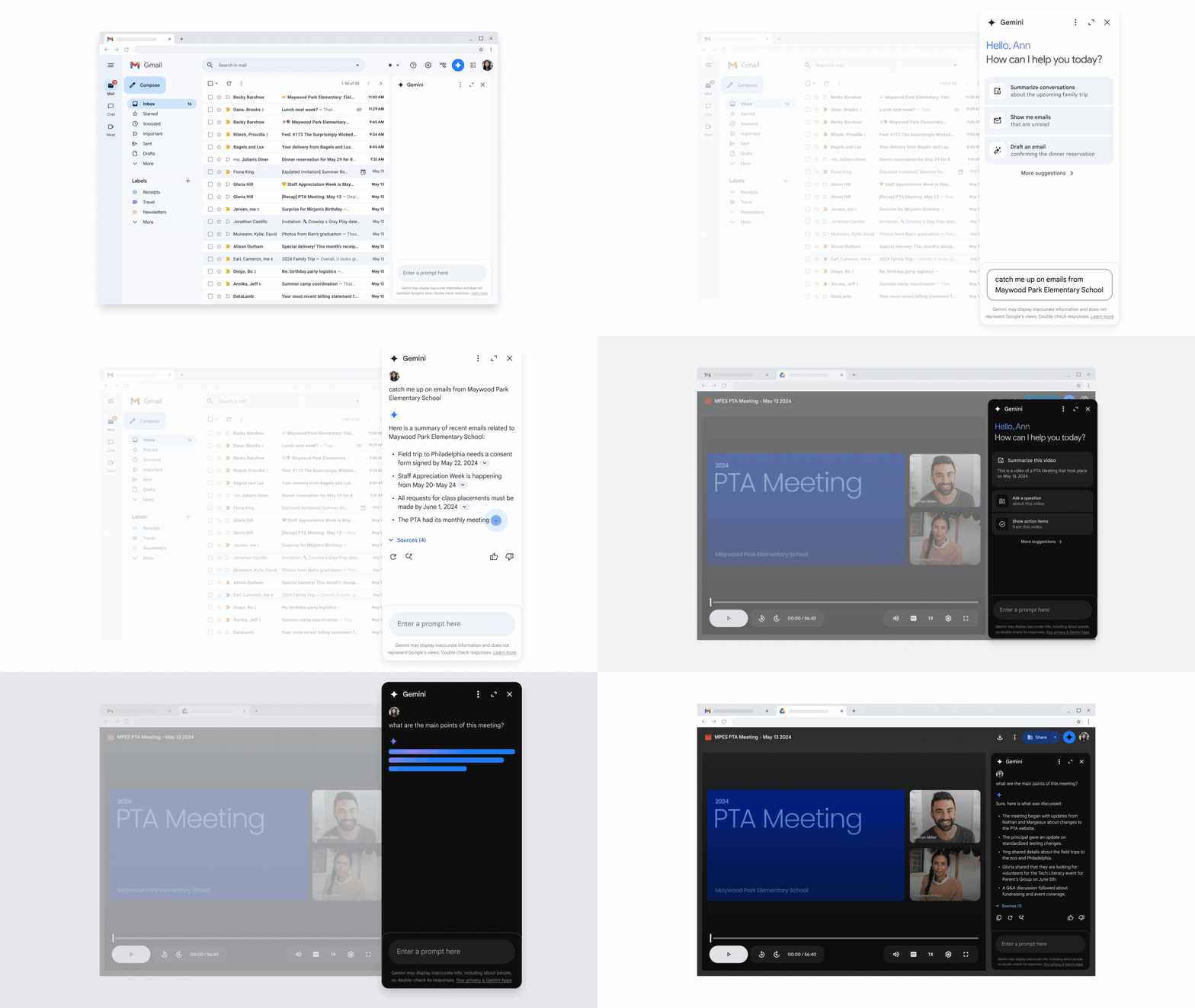
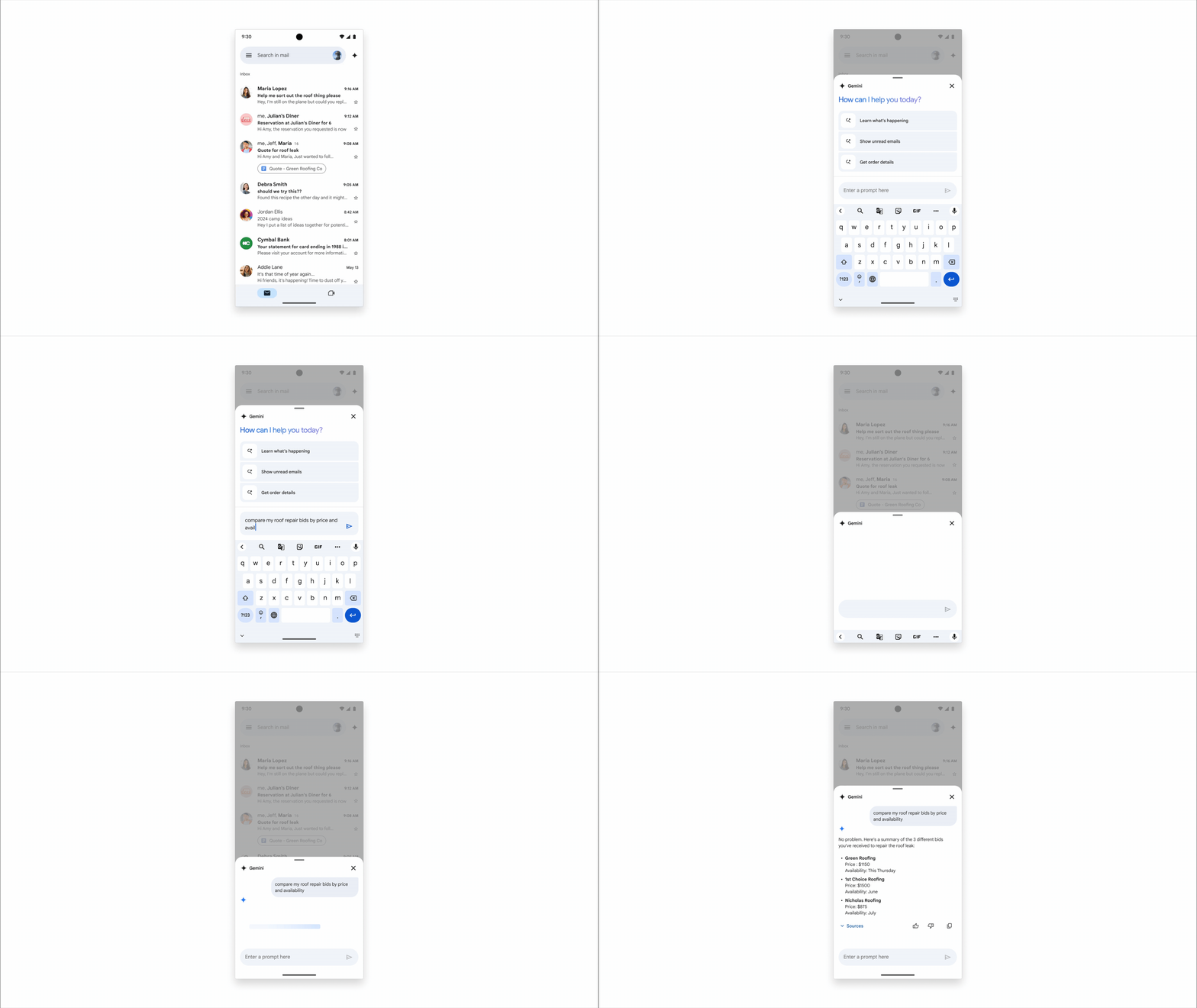
The cross-functional integration of the Side Panel can be illustrated with the following example:
Imagine a marketing team member – L, is preparing for an upcoming company dinner for Master Concept. L needs to manage various tasks, from venue selection to guest invitations, with dozens of related emails in their inbox.
Summarizing and Organizing Multiple Emails
Among these are over ten emails discussing event details with the venue. L can simply ask the Side Panel, and Gemini will quickly summarize the key points from these emails, eliminating the need to open and reread each email one by one.

When selecting event gifts, L has compared prices from five or six vendors. The Gmail AI Side Panel can help L find gift-related content among the numerous emails and, upon request, organize information such as prices and delivery times in a clear format, facilitating L’s evaluation and decision-making process.
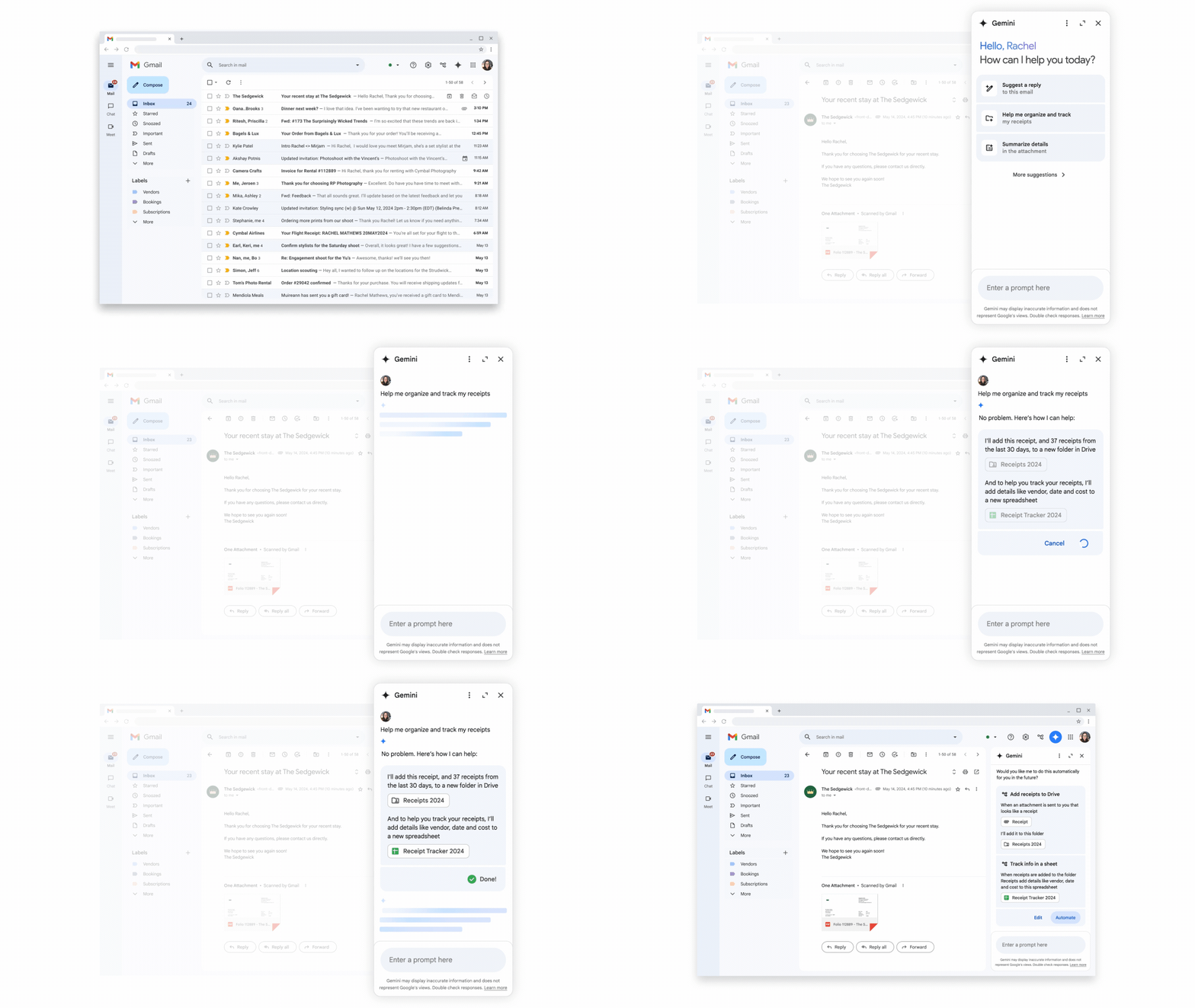
Automatic File Generation and Workflow Setup
During the event preparation, L’s supervisor wants to know about the real-time updates on gift vendor pricing to find the most suitable option. L can use the Side Panel to set up an automated workflow where Gemini captures data from emails, automatically generates Sheets and Docs, and provides references for the boss. In the meantime, this process isn’t limited to past email records; it can automatically update the designated Sheet and file related documents in specific Google Drive folders when new vendor quotes are received.
In the generated Sheet, L’s supervisor can also use the Side Panel to ask Gemini to create charts and insights, easily and quickly understand the data’s implications.
Accessing Drive Data via Side Panel
After finalizing the vendor selection, L might forget the agreed-upon gift delivery date when replying to an email. No worries – the Side Panel can access data from Google Drive and instantly retrieve this information for L. Side Panel helps L find the right information by reading through all the data in Google Drive within seconds!
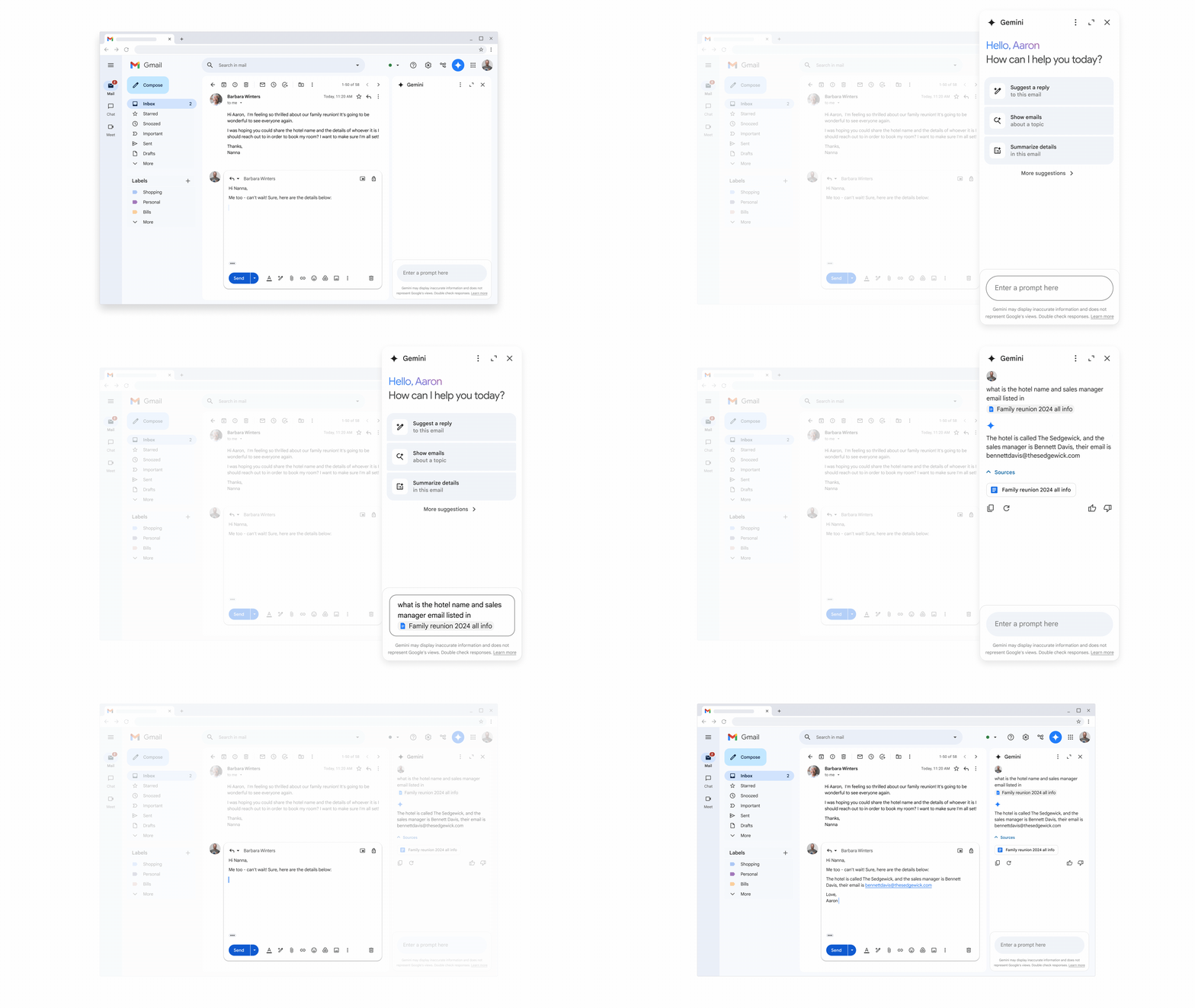
In summary, the Side Panel will be available across various Google Workspace functions. Launching next month, users can simply click “Ask Gemini” in the top-right corner to summon Gemini AI. Even without initial ideas on how to use it, the Side Panel comes with several preset commands, offering instruction templates that can be easily modified to obtain desired outputs.
For more information or to apply for a free trial, please contact our professional team!
Reference:
https://workspace.google.com/blog/product-announcements/new-ways-engage-gemini-workspace
https://support.google.com/mail/answer/14199860?hl=en#zippy=



![[Free Webinar] Road to COP17: Unifying Enterprise Data with Planetary-Scale Geospatial AI](https://masterconcept.ai/wp-content/uploads/2026/09/Webinar-261007-Unifying-Enterprise-Data-with-Planetary-Scale-Geospatial-AI-_1280x720px-scaled.png)