

An overflowing inbox is a recipe for stress. Important messages get buried, deadlines are overlooked, and searching for that one crucial email becomes exhausting work. Leverage Gmail filters to sort and categorize messages intelligently now.
Step-by-step to set up automatic email categorization using Gmail filters
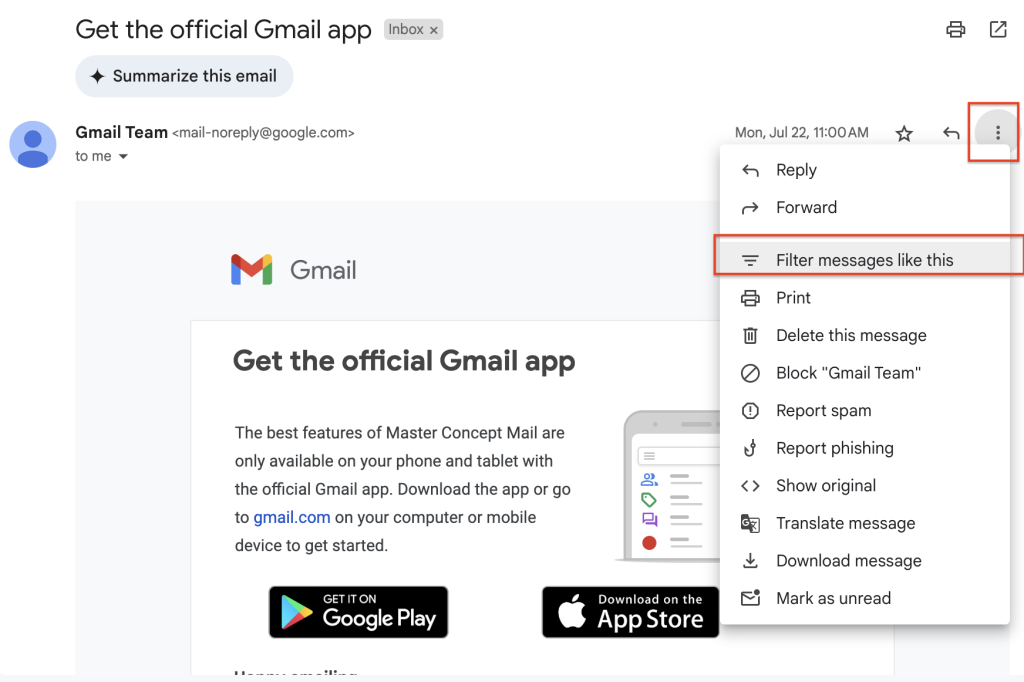
1. Open the email you want to filter, click on the three dots on the right, and click “Filter messages like this.”
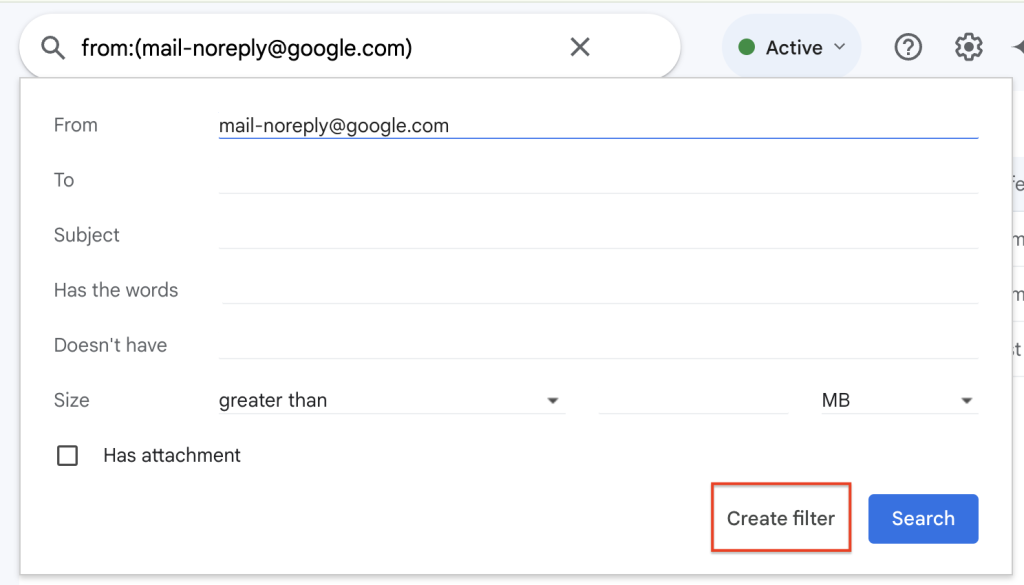
2. The filter will automatically detect the characteristics of the email. If it does not meet your needs, adjust the settings in the fields and then click “Create filter.”
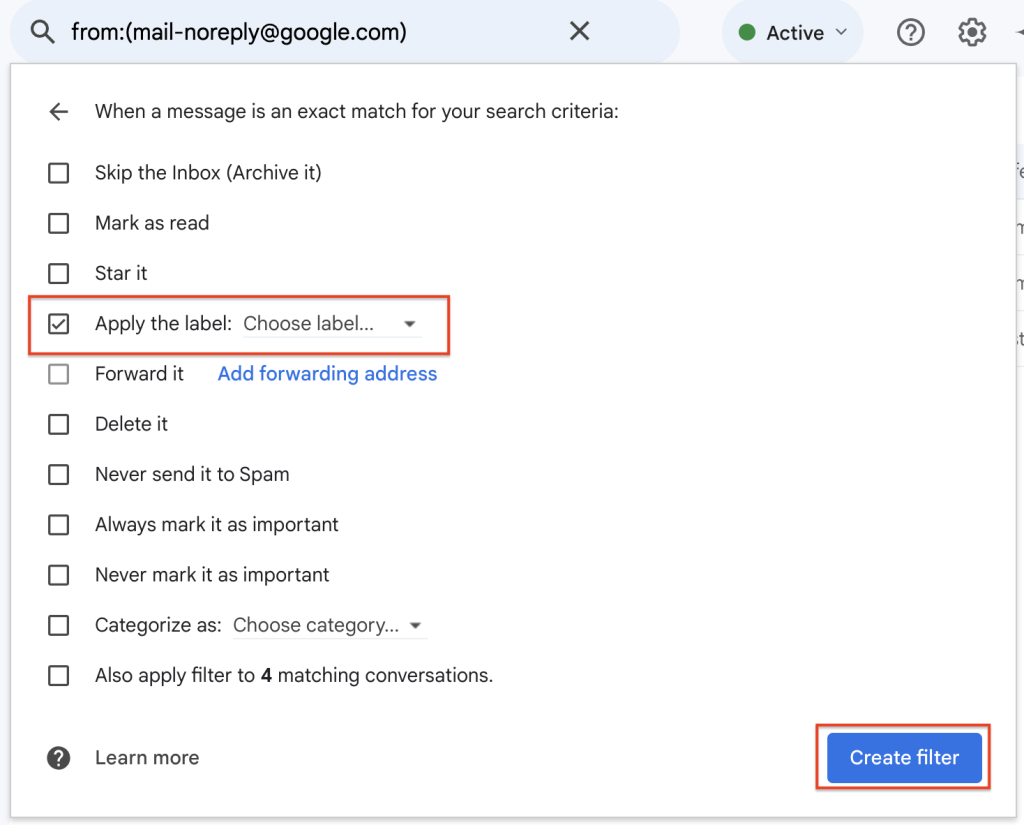
3. For the emails filtered in the previous step, select the actions you want to perform. We can choose the option to apply a label so that Gmail automatically labels emails that meet the filter criteria. Then click “Create filter” in the lower right corner to complete the setup
Conclusion
Don’t let a messy inbox rule your workday any longer! Take control with the power of Gmail filters and experience the freedom of an organized inbox. If you have any questions or need assistance setting up your filters, don’t hesitate to contact us. We’re here to help you conquer email overload and achieve peak productivity!




![[Free Webinar] Road to COP17: Unifying Enterprise Data with Planetary-Scale Geospatial AI](https://masterconcept.ai/wp-content/uploads/2026/09/Webinar-261007-Unifying-Enterprise-Data-with-Planetary-Scale-Geospatial-AI-_1280x720px-scaled.png)