


We’ve all wished for a clone of ourselves to handle the repetitive parts of our jobs—sorting emails, scheduling meetings, or summarizing endless documents. Google has just made that a reality, not with clones, but with Agents.
Introducing Google Workspace Studio: a new, centralized platform where anyone can build, manage, and share AI agents to automate everyday work. Powered by the advanced Gemini 3 model, these agents don’t just follow rules; they understand your intent, reason through problems, and execute tasks across the apps you use every day.
The best part? It’s designed for everyone. You don’t need to be a developer or know a single line of code to start building your own AI workforce.
1. Build Your Own AI Agent (No Coding Required)
Google Workspace Studio removes the technical barrier to entry. On the new Studio dashboard, you have two simple ways to get started:
- Start with a Template (The “Quick Win”): Studio comes pre-loaded with dozens of zero-configuration templates for common scenarios. You can directly deploy agents like these in seconds:
- “Get a daily summary of unread emails”
- “Notify me about emails from key people”
- “Send email summaries and action items after meetings”
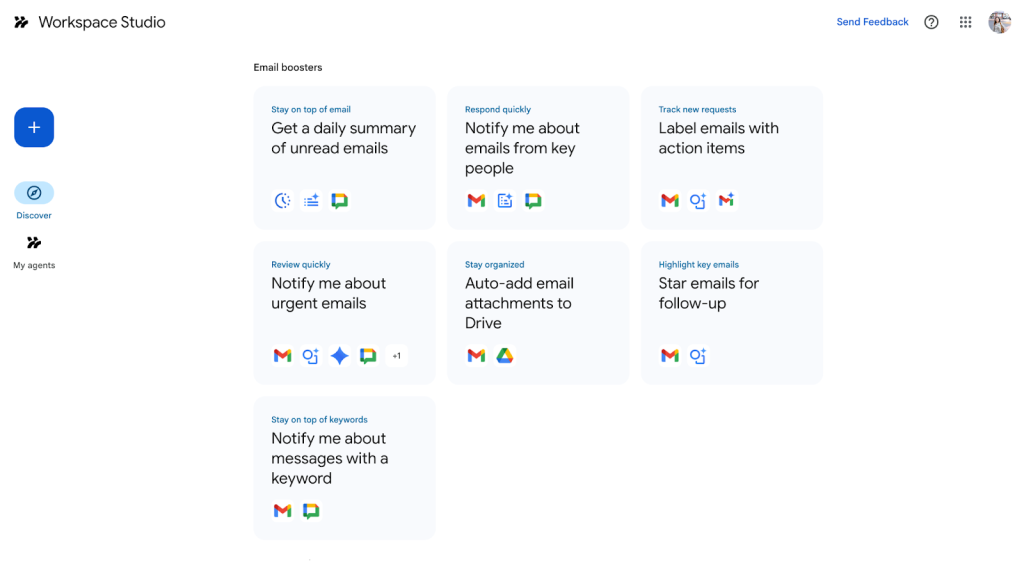
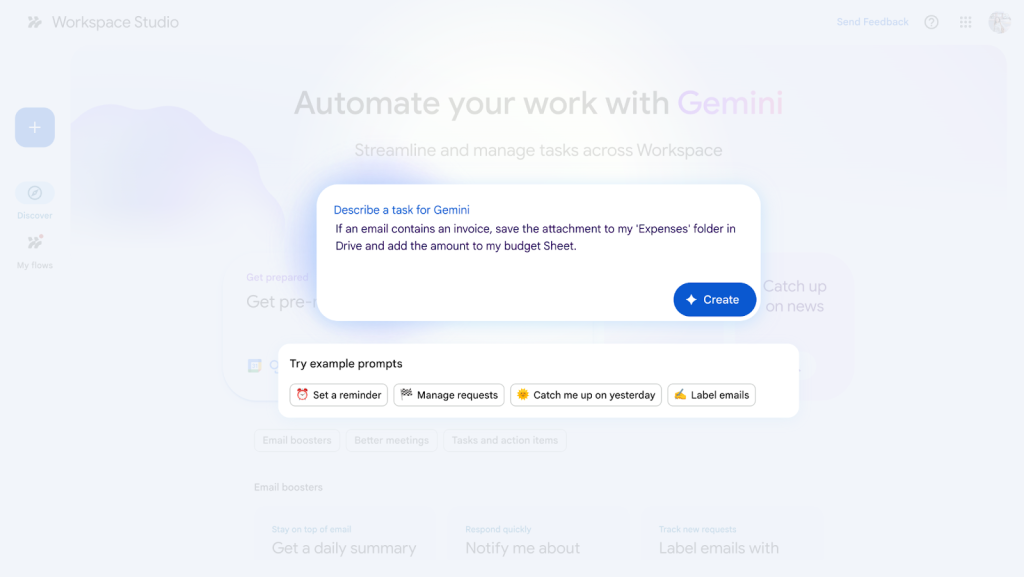
- Create with Natural Language: Have a unique workflow? Just describe it in the Gemini prompt bar like you’re talking to a colleague.
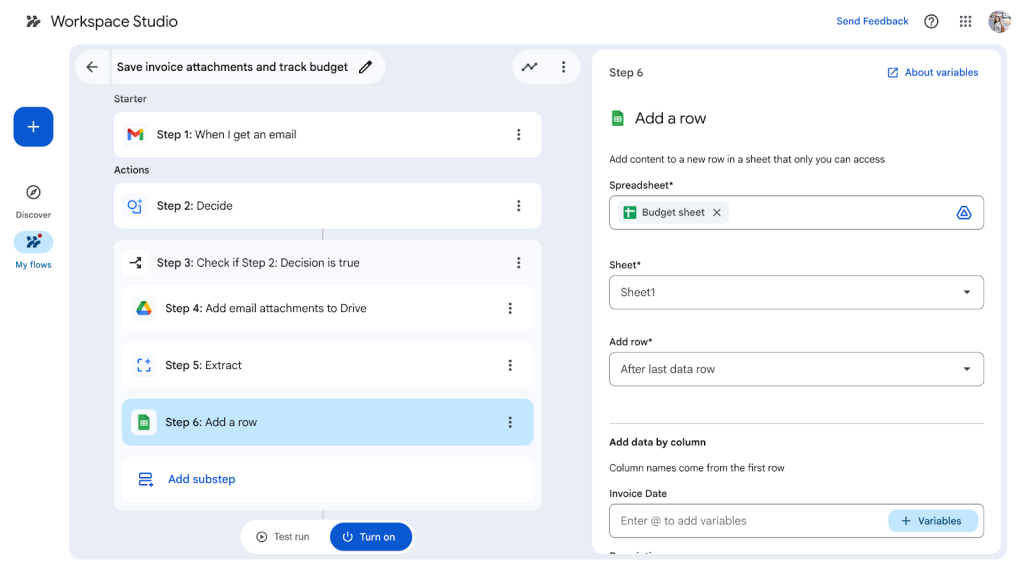
- You type: “If an email contains an invoice, save the attachment to my ‘Expenses’ folder in Drive and add the amount to my budget Sheet.”
- Studio delivers: It instantly builds the agent, connects the apps, and configures the steps for you.
2. Orchestrate Your Business Apps (Context & Personality)
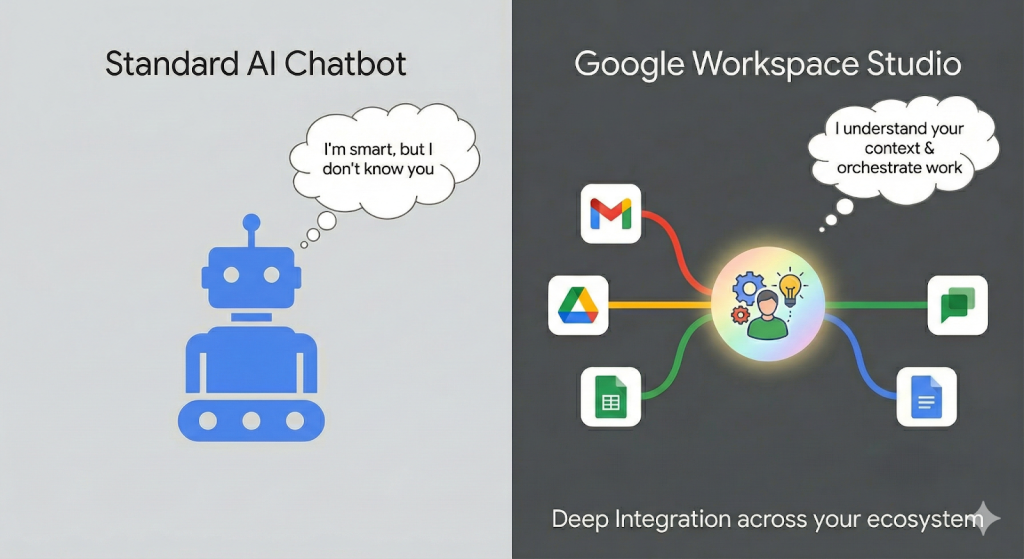
A standard AI chatbot is smart, but it doesn’t know you. Google Workspace Studio is different because it lives inside your ecosystem.
It orchestrates work across Gmail, Google Drive, Docs, Sheets, and Chat. This deep integration means the agents understand your context:
- Data Awareness: If you ask an agent to “Summarize the Q3 Project Update,” it knows exactly which file in your Drive you are referring to.
- Seamless Hand-offs: An agent can detect a high-priority email in Gmail, draft a reply, and then ping you in Google Chat for approval—all without you switching tabs.
3. How It Automates Real-World Workflows
The real power of Workspace Studio lies in “Agentic AI”—automation that goes beyond simple “if this, then that” rules. Because these agents use Gemini’s reasoning capabilities, they can handle nuance.
Imagine this “Customer Service” workflow:
- Trigger: You receive a feedback email from a client.
- Reasoning: The Agent analyzes the sentiment (frustrated) and identifies the issue.
- Notification: It alerts your “Google Workspace Studio” space in Google Chat with a summary of the complaint.
- Action: It drafts a personalized apology email using your company’s tone.
Result: A process that used to take 15 minutes now happens instantly, waiting only for your final “Send.”
4. Availability: Agents for Everyone
You do not need to wait for a specialized, expensive add-on to start exploring the future of work. Google Workspace Studio is rolling out now as a core service included in most Business and Enterprise editions.
It empowers business units to solve their own “quick win” problems, so IT teams can focus on high-level AI strategy rather than building basic scripts.
Next Steps with Master Concept
While building an agent is easy, deploying them across an entire organization requires strategy. How do you ensure data security? Which workflows yield the highest ROI?
As a Google Cloud Premier Partner, Master Concept is here to help you:
- Identify high-value workflows to automate (from HR onboarding to Sales follow-ups).
- Train your team on effective agent prompting and sharing.
- Secure your environment with proper Admin controls and data governance.
Ready to build your first Agent? Contact Master Concept today to see Google Workspace Studio in action.

![[Free Webinar] Road to COP17: Unifying Enterprise Data with Planetary-Scale Geospatial AI](https://masterconcept.ai/wp-content/uploads/2026/09/Webinar-261007-Unifying-Enterprise-Data-with-Planetary-Scale-Geospatial-AI-_1280x720px-scaled.png)